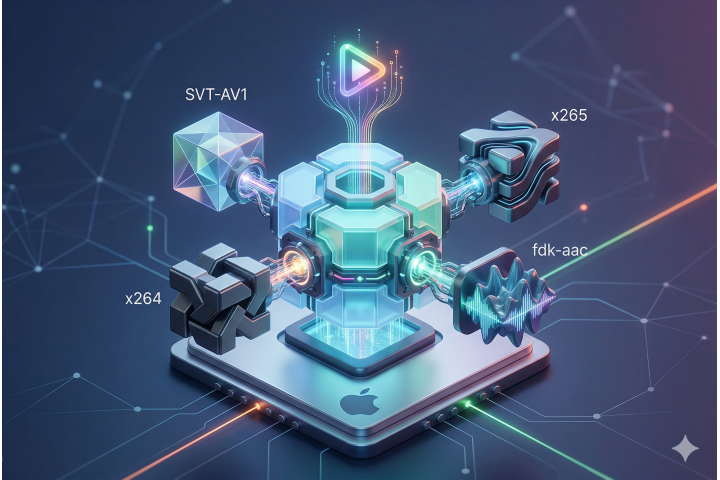
When working with modern video processing pipelines, the pre-built binaries of FFmpeg provided by package managers like Homebrew often fall short. They might lack support for non-free/GPL libraries (like libfdk_aac), omit bleeding-edge codecs like EVC (Essential Video Coding) or SVT-AV1, or come bundled with bloated dependencies you don't need.
Building FFmpeg from source ensures you have full control over enabled codecs, optimization flags, and security capabilities (OpenSSL).
In this guide, we will step through compiling FFmpeg 9.0 from scratch on macOS, isolating all third-party libraries inside $HOME/Applications/ffmpeg_library to avoid polluting your system environment.
💡 The complete build script is available on GitHub Gist:
🔗 FFmpeg Source Build Script (macOS)
Why Build from Source?
By compiling FFmpeg manually, we achieve:
- Isolated Build Environment: No conflicts with Homebrew or system-wide libraries.
- Next-Gen Codec Support: Includes EVC (
xeve/xevd), AV1 (SVT-AV1/dav1d), and HEVC (x265). - High-Quality Audio: Native support for Fraunhofer FDK AAC (
libfdk_aac)—widely considered superior to the standard open-source AAC encoder. - Secure Protocol Support: Native OpenSSL integration for high-performance HTTPS and RTMPS streams.
Prerequisites
First, install the bare minimum build tools required for compiling C/C++ projects and running Meson/CMake build suites:
brew install cmake pkg-config meson
Next, set up isolated directories for storing source files and build artifacts:
mkdir -p $HOME/Applications/ffmpeg_sources
mkdir -p $HOME/Applications/ffmpeg_library
Step 1: Base Tools & Modern Assembler
High-performance video codecs rely heavily on SIMD (CPU vector instructions like AVX/NEON). We need an up-to-date NASM assembler.
# === NASM ===
cd $HOME/Applications/ffmpeg_sources
curl https://www.nasm.us/pub/nasm/releasebuilds/3.02/nasm-3.02.tar.gz -o nasm.tar.gz
mkdir -p nasm && tar -zxvf nasm.tar.gz -C ./nasm --strip-components=1 && rm nasm.tar.gz
cd nasm
./configure --prefix="$HOME/Applications/ffmpeg_library"
make && make install

# Add our custom library binary path to PATH
export PATH="$HOME/Applications/ffmpeg_library/bin:$PATH"
Step 2: Compiling Video Codecs
H.264 (x264)
The industry standard for video compatibility across web and mobile browsers.
cd $HOME/Applications/ffmpeg_sources
git clone --branch stable --depth 1 --single-branch https://code.videolan.org/videolan/x264.git
cd x264
./configure --prefix="$HOME/Applications/ffmpeg_library" --enable-static
make && make install
H.265 / HEVC (x265)
Provides ~50% higher compression efficiency compared to H.264. (Note: Example configured for Apple Silicon aarch64-darwin architecture).
cd $HOME/Applications/ffmpeg_sources
git clone --branch '4.2' --depth 1 --single-branch https://bitbucket.org/multicoreware/x265_git.git x265
cd x265/build/aarch64-darwin
cmake -DCMAKE_FIND_ROOT_PATH="$HOME/Applications/ffmpeg_library" \
      -DCMAKE_INSTALL_PREFIX="$HOME/Applications/ffmpeg_library" ../../source
make && make install
VP8 / VP9 (libvpx)
Google’s open video codecs, essential for WebM video processing.
cd $HOME/Applications/ffmpeg_sources
git clone --branch 'v1.17.0' --depth 1 --single-branch https://chromium.googlesource.com/webm/libvpx.git
cd libvpx
./configure --prefix="$HOME/Applications/ffmpeg_library" --disable-examples --disable-unit-tests --enable-vp9-highbitdepth
make && make install
Step 3: Next-Gen Codecs (AV1 & EVC)
AV1 Encoder (SVT-AV1)
Intel and AOMedia's scalable AV1 encoder offering excellent quality-to-bitrate ratios.
cd $HOME/Applications/ffmpeg_sources
git clone --branch 'v4.2.0' --depth=1 --single-branch https://gitlab.com/AOMediaCodec/SVT-AV1.git
cd SVT-AV1/Build
cmake .. -G"Unix Makefiles" -DCMAKE_BUILD_TYPE=Release \
         -DCMAKE_FIND_ROOT_PATH="$HOME/Applications/ffmpeg_library" \
         -DCMAKE_INSTALL_PREFIX="$HOME/Applications/ffmpeg_library" ..
make && make install
AV1 Decoder (dav1d)
The ultra-fast AV1 decoder developed by VideoLAN and FFmpeg.
cd $HOME/Applications/ffmpeg_sources
git clone --branch '1.5.4' --depth=1 --single-branch https://code.videolan.org/videolan/dav1d.git
cd dav1d
mkdir build && cd build
meson setup .. --buildtype=release --prefix="$HOME/Applications/ffmpeg_library"
ninja -C . && ninja -C . install
Essential Video Coding (xeve / xevd)
MPEG's Essential Video Coding (EVC) standard, designed as an alternative to HEVC and AV1.
# EVC Decoder (xevd)
cd $HOME/Applications/ffmpeg_sources
git clone --branch 'v0.7.0' --depth 1 --single-branch https://github.com/ercansormaz/xevd.git
cd xevd && mkdir build && cd build
cmake -DCMAKE_FIND_ROOT_PATH="$HOME/Applications/ffmpeg_library" \
      -DCMAKE_INSTALL_PREFIX="$HOME/Applications/ffmpeg_library" \
      -DCMAKE_BUILD_TYPE=Release ..
make && make install

# EVC Encoder (xeve)
cd $HOME/Applications/ffmpeg_sources
git clone --branch 'v0.7.0' --depth 1 --single-branch https://github.com/ercansormaz/xeve.git
cd xeve && mkdir build && cd build
cmake -DCMAKE_FIND_ROOT_PATH="$HOME/Applications/ffmpeg_library" \
      -DCMAKE_INSTALL_PREFIX="$HOME/Applications/ffmpeg_library" \
      -DCMAKE_BUILD_TYPE=Release ..
make && make install
Step 4: Audio Codecs & Utilities
# === Fraunhofer FDK AAC ===
cd $HOME/Applications/ffmpeg_sources
git clone --branch 'v2.0.3' --depth 1 --single-branch https://github.com/mstorsjo/fdk-aac.git
cd fdk-aac && mkdir build && cd build
cmake -DCMAKE_FIND_ROOT_PATH="$HOME/Applications/ffmpeg_library" \
      -DCMAKE_INSTALL_PREFIX="$HOME/Applications/ffmpeg_library" \
      -DCMAKE_BUILD_TYPE=Release ../
make && make install

# === MP3 (LAME) ===
cd $HOME/Applications/ffmpeg_sources
curl -O -L https://downloads.sourceforge.net/project/lame/lame/3.100/lame-3.100.tar.gz
mkdir -p lame && tar -zxvf lame-3.100.tar.gz -C ./lame --strip-components=1 && rm lame-3.100.tar.gz
cd lame
./configure --prefix="$HOME/Applications/ffmpeg_library" --disable-shared --enable-nasm
make && make install

# === Opus ===
cd $HOME/Applications/ffmpeg_sources
git clone --branch 'v1.6.1' --depth 1 --single-branch https://github.com/xiph/opus.git
cd opus && mkdir build && cd build
cmake -DCMAKE_FIND_ROOT_PATH="$HOME/Applications/ffmpeg_library" \
      -DCMAKE_INSTALL_PREFIX="$HOME/Applications/ffmpeg_library" \
      -DCMAKE_BUILD_TYPE=Release ../
make && make install

# === FreeType (Subtitle/Text Overlay Support) ===
cd $HOME/Applications/ffmpeg_sources
git clone --branch 'VER-2-14-3' --depth 1 --single-branch https://gitlab.freedesktop.org/freetype/freetype.git
cd freetype && mkdir build && cd build
cmake -DCMAKE_FIND_ROOT_PATH="$HOME/Applications/ffmpeg_library" \
      -DCMAKE_INSTALL_PREFIX="$HOME/Applications/ffmpeg_library" \
      -DCMAKE_BUILD_TYPE=Release ../
make && make install

# === OpenSSL (HTTPS / RTMPS Support) ===
cd $HOME/Applications/ffmpeg_sources
git clone --branch 'openssl-4.0.2' --depth 1 --single-branch https://github.com/openssl/openssl.git
cd openssl
./Configure --prefix="$HOME/Applications/ffmpeg_library"
make && make install
Step 5: Compiling FFmpeg 9.0
Now that all custom static libraries are built and staged in $HOME/Applications/ffmpeg_library, we can configure and compile the final FFmpeg binary:
cd $HOME/Applications/ffmpeg_sources
git clone --branch 'release/9.0' --depth 1 --single-branch https://git.ffmpeg.org/ffmpeg.git
cd ffmpeg

PKG_CONFIG_PATH="$HOME/Applications/ffmpeg_library/lib/pkgconfig" ./configure \
 --prefix="$HOME/Applications/ffmpeg-9.0" \
 --pkg-config-flags="--static" \
 --extra-cflags="-I$HOME/Applications/ffmpeg_library/include" \
 --extra-ldflags="-L$HOME/Applications/ffmpeg_library/lib" \
 --extra-libs=-lpthread \
 --extra-libs=-lm \
 --enable-gpl \
 --enable-libfdk_aac \
 --enable-libfreetype \
 --enable-libmp3lame \
 --enable-libopus \
 --enable-libvpx \
 --enable-libx264 \
 --enable-libx265 \
 --enable-libsvtav1 \
 --enable-libdav1d \
 --enable-libxeve \
 --enable-libxevd \
 --enable-nonfree \
 --enable-pthreads \
 --enable-version3 \
 --enable-openssl

make && make install
Step 6: Setting RPATH for Executables
To ensure the compiled ffmpeg and ffprobe binaries can discover dynamically linked components at runtime without global environment pollution, fix their rpath:
install_name_tool -add_rpath $HOME/Applications/ffmpeg_library/lib \
$HOME/Applications/ffmpeg-9.0/bin/ffmpeg

install_name_tool -add_rpath $HOME/Applications/ffmpeg_library/lib \
$HOME/Applications/ffmpeg-9.0/bin/ffprobe
Verifying the Installation
Verify that your newly compiled binary has access to all enabled codecs:
$HOME/Applications/ffmpeg-9.0/bin/ffmpeg -codecs | grep -E "fdk_aac|svtav1|xeve"
To run this build seamlessly from any terminal window, add the binary path to your ~/.zshrc or ~/.bash_profile:
export PATH="$HOME/Applications/ffmpeg-9.0/bin:$PATH"
Conclusion
You now have a clean, reproducible, and self-contained build of FFmpeg 9.0 on macOS, equipped with modern AV1, EVC, and high-fidelity audio codecs.